
Ctrl + Alt + Data Security #21
For all your data security updates!

Hey everyone, long time no see - it’s been a crazy few months balancing work and family commitments, but I wanted to make sure I sent this one out to cover the recent announcements before Ignite!
Staying ahead in data security means keeping pace with constant innovation. In this update, we’re introducing new capabilities across Microsoft Purview. From enhanced Data Security Investigations with relevance scoring and risk graphs, to Security Copilot Agents that streamline triage in Insider Risk and Data Loss Prevention, these features are designed to give you deeper insights and faster response. We’re also rolling out improvements in DLP, eDiscovery, Sensitivity Labels, and Data Governance, alongside new tools for managing AI related risks.
Check them out below!
Product Updates and Announcements
Data Security Investigations (preview)
New: Search relevance scores are now available to help you determine the connection strength between your vector search and the results.
New: Use the Additional context for AI (preview) option when creating a new investigation (or to existing investigations) to help focus the categorization and risk examination results to specific area or issues.
In preview: New support for data risk graphs in Data Security Investigations (preview). Data risk graph (preview) in Data Security Investigations (preview) uniquely visualizes correlations between impacted data, users, and their activities. It provides critical context to guide mitigation and next steps.
Security Copilot Agents in Purview
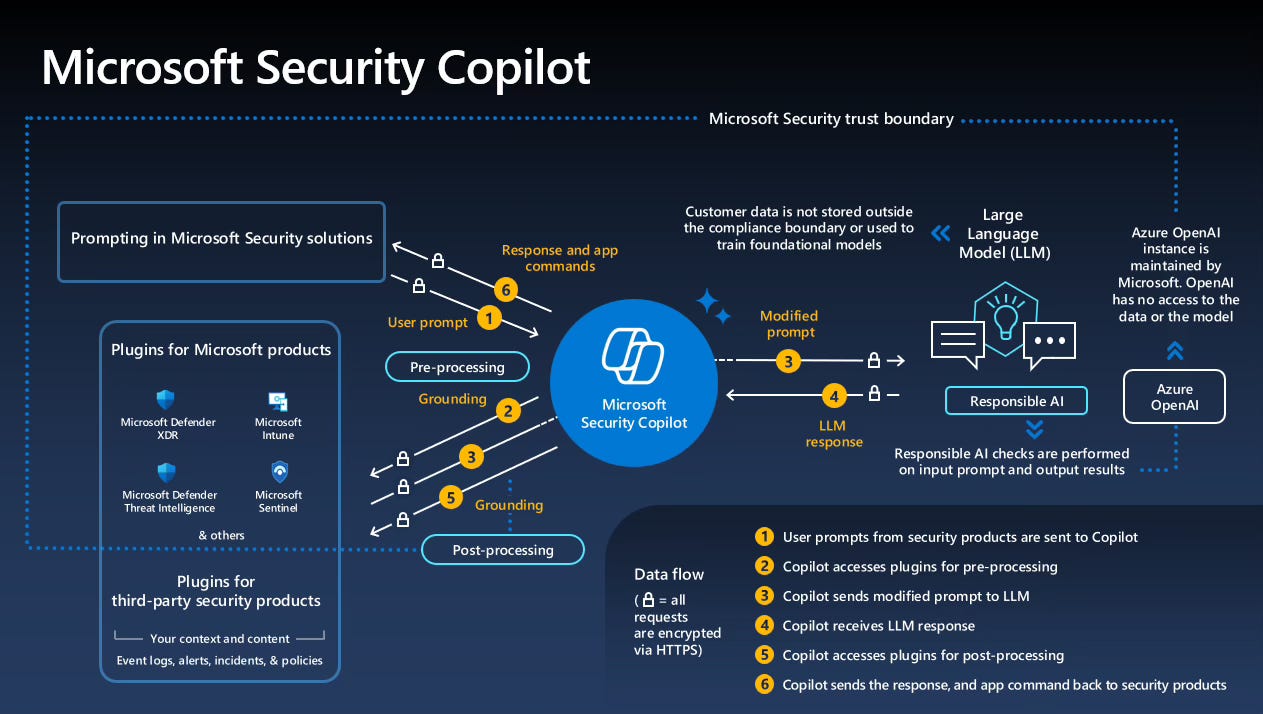
New: Get started with the Microsoft Purview Triage Agent in Data Loss Prevention (preview) to include new configuration flow and feedback functionality as a stand alone article.
New: Get started with the Microsoft Purview Triage Agent in Insider Risk Management (preview) as a stand alone article.
Data Loss Prevention
Updated: Get started with Endpoint Data Loss Prevention Just-In-Time file protection.
In preview: Get started with data loss prevention protections for Recall helps protect against sensitive content being included in Recall snapshots on Copilot+ PCs.
In preview: User and rule based alert aggregation provides greater flexibility and control over how DLP alerts are grouped and presented. Alerts can be generated per event, or per user, or single aggregate alerts for multiple users and multiple events, or based on the volume of data. The generation of alerts on a user + rule , aggregated over multiple time windows helps reduce alert noise and allows you to view your alert data in new ways.
GA release: Help Prevent Users from Sharing Sensitive Info with Cloud Apps in Edge for Business
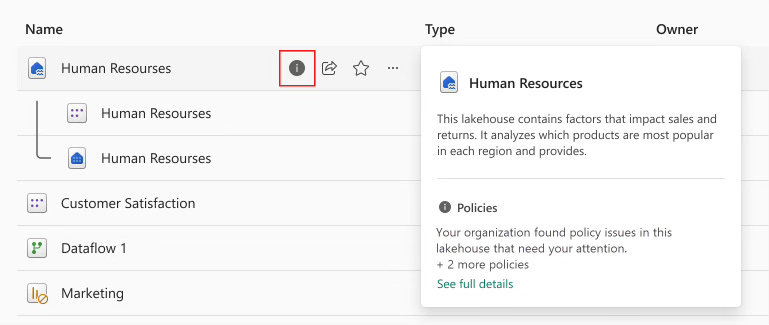
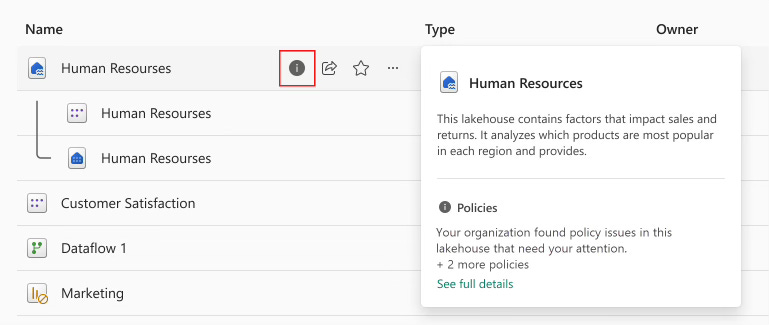
GA release: Get started with data loss prevention policies for Fabric and Power BI
GA release: Learn about the Microsoft 365 Copilot policy location released to GA.
Policy tips for Outlook highlight table:DLP Policy Tips support matrix for Outlook clients highlights
General availability (GA): Learn about the Microsoft 365 Copilot policy locationreleased to GA.
In preview: You can rename DLP policies.
In preview: Help Prevent Users from Sharing Sensitive Info with Cloud Apps in Edge for Business. This doesn’t require devices be onboarded into Microsoft Purview.
eDiscovery
Consolidated document metadata reference: New updates and consolidation of all document metadata fields supported by eDiscovery into a single reference article. Documents support for document fields included in the items.csv file for exports from direct search, when adding search results to a review set, and when exporting items from a review set.
Use Microsoft Purview APIs for eDiscovery: New article that provides guidance on how to configure the required prerequisites to enable access to the Microsoft Purview APIs for eDiscovery. This guidance is based on using app-only access to the APIs, with either a client secret or a self-signed certificate to authenticate the requests.
Data Security Posture Management for AI
In preview: Rolling out, data risk assessments now also support identifying and protecting overshared data in Fabric, scanning the top 100 most accessed Fabric workspaces for sensitive information, or that are shared widely either internally or externally. Supported item types for scanning: Dashboard, Report, DataExploration, DataPipeline, KQLQuerySet, Lakehouse, Notebook, SQlAnalyticsEndpoint, and Warehouse.
New: Rolling out, the following new roles are added to support view-only permissions for DSPM for AI:
Purview Data Security AI Viewer: View-only permissions in DSPM for AI, for sensitivity labels, and sensitive information types only.
Purview Data Security AI Content Viewer: View-only permissions specific to AI interactions (prompts and responses) in DSPM for AI.
AI Administrator: Recently introduced role from Microsoft Entra to manage Microsoft Copilot. In Microsoft Purview, this role provides view-only permissions in DSPM for AI, for sensitivity labels, and sensitive information types—the equivalent of the Purview Data Security AI Viewer role, but also can be used with other management solutions.
Sensitivity labels
New: Tenants that are created beginning October 1, 2025 will automatically use the new label scheme that previously, was available only to customers who migrated their parent sensitivity labels to label groups. If your tenant has the new label scheme, you see a green message bar on the Sensitivity labels page that confirms your tenant is successfully migrated to the modern label scheme, which provides more flexibility in organization and reduced complexity.
General availability (GA): Support for cross-cloud access to encrypted documents with Microsoft Entra configuration. As a result, users who are part of an organization in another cloud environment can open Word, Excel, and PowerPoint files that are encrypted by your organization.
In preview: Newly supported for Channel Agent in Microsoft Teams, the highest priority sensitivity label is displayed in the chat for reference items, and for citations. There’s also limited support for sensitivity label inheritance for AI-generated content (currently, only Loop and meetings support this inheritance).
In preview: In Copilot in Teams chat and channels, threaded summaries display the highest priority sensitivity label from labeled content, which educates the user about the sensitivity of the data. In this initial release, the labels don’t display their configured color.
General availability (GA): Now rolling out in general availability, support for files in SharePoint or OneDrive that are labeled with user-defined permissions. Support now includes search, data loss prevention, and eDiscovery support for newly uploaded and edited files.
In preview: Rolling out, support for cross-cloud access to encrypted documents with Microsoft Entra configuration. As a result, users who are part of an organization in another cloud environment can open Word, Excel, and PowerPoint files that are encrypted by your organization.
Insider Risk Management
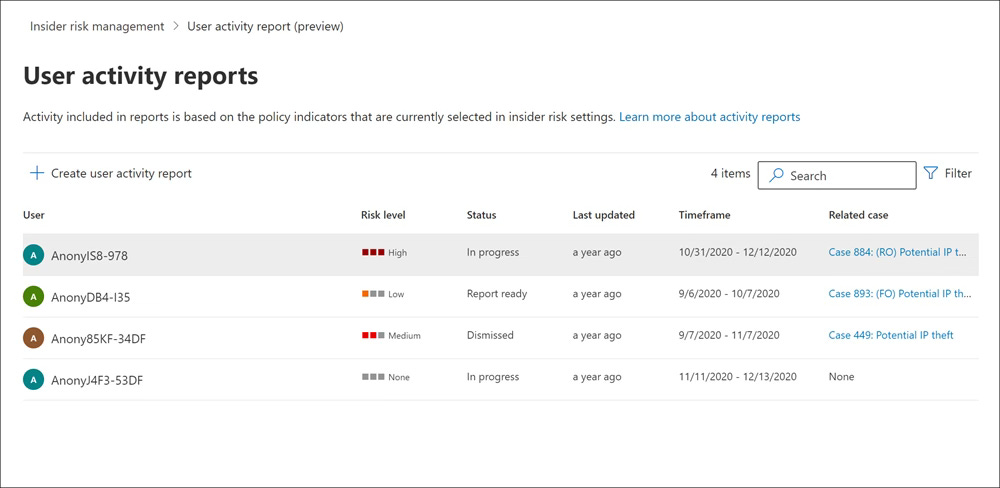
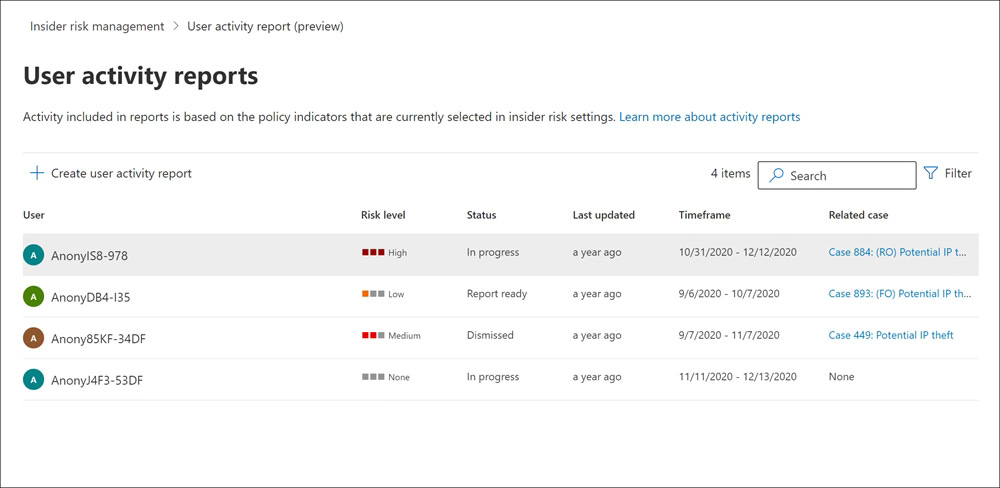
In preview: Pay-as-you-go usage reports provide transparency and enable more accurate budget planning and policy tuning.
In preview: Content explorer has new filtering and view management tools.
Data Lifecycle Management
New: Rolling out, migrating the retention of Teams private channel messages from the Teams private channel messages location to the Teams channel messages location in a retention policy. In line with the Microsoft Teams change that enhances private cannels in Microsoft Teams to unlock their full potential, private channel messages will be stored in group mailboxes rather than user mailboxes. When your tenant is migrated, select the Teams channel messages location in the retention policy configuration to retain or delete these messages.
In preview: Rolling out, updates to priority cleanup that include:New support for SharePoint and OneDrive, with the main scenarios being the ability to delete Teams meeting recordings and transcripts (typically large files that are stale after 1-3 months) and delete items retained in a user’s OneDrive Preservation Hold Library after a user has left the organization. In both cases, priority cleanup lets you override the first principle of retention that the longest retention period takes precedence, and therefore reclaim storage.A change of configuration flow to support the new workload, the choice of adaptive scopes or static, and just an eDiscovery admin required as a policy approver.Three auditing events with the operation names of PriorityCleanupTagApplied, PriorityCleanupFileRecycled (for SharePoint and OneDrive), and PriorityCleanupDelete (for Exchange). At this time, these events don’t have friendly names to select from the Microsoft Purview portal.
In preview: Retention policies for Microsoft Copilot experiences now include threaded summaries from Copilot in Teams chat and channels.
Data Governance
In preview: Create workflows within Unified Catalog to automate the process of granting access to data products, and for publishing data products and glossary terms.
In preview: Unified Catalog API for general availability (GA) features in Unified Catalog.
General availability (GA): Data quality error record publishing to your cloud storage is now generally available in all supported Azure regions. Data engineers, data quality stewards, and analysts can review and correct data, as well as monitor continuous improvements by creating dashboards with Unified Catalog metadata and Data quality error records for their data governance and data quality teams. This feature helps Microsoft Purview Unified Catalog users not only measure and monitor data quality, but also improve it by enabling them to correct data quality error records and handle rule exceptions.
In preview: A new table named Critical Data Column is added to self-service analytics. Users will able to report glossary terms or any other concepts associated to data asset column using the Critical Data Column and Relationship tables.
Updated: When you add owners to glossary terms in Unified Catalog, they’re automatically added to the Contacts section on the term’s details page.
Updated: Learn about upcoming authentication changes affecting users of the Snowflake connector for Microsoft Purview Data Map.
Updated: In self-serve analytics and insights (preview):Critical Data Element (CDE) column IDs are available. You can query CDE display name and column ID from the tables CriticalDataElement, DataAssetColumnCriticalDataElementAssignment, and DataAssetColumn tables.Parent Business Domain ID is available. You can create a report on governance domain hierarchy from self-serve analytics metadata published into Fabric OneLake and Azure Data Lake Storage Gen2.Data quality job run start time and end time data are now available for self-serve analytics in Fabric OneLake and Azure Data Lake Storage Gen2.
Blog posts and Community Content
SesameOp: Novel backdoor uses OpenAI Assistants API for command and control
Microsoft has uncovered a new backdoor called SesameOp that uses the OpenAI Assistants API as its command and control channel. This is significant because attackers are now leveraging trusted AI services to hide malicious activity, making detection far more challenging.
Why you should read this:
It signals a shift in attacker tactics, using legitimate AI platforms for covert operations.
Traditional security controls may not catch this, so defenders need to rethink monitoring strategies for API traffic and AI service usage.
The article provides guidance on detection and mitigation, which is critical for anyone responsible for cyber security.
The link can be found here: https://www.microsoft.com/en-us/security/blog/2025/11/03/sesameop-novel-backdoor-uses-openai-assistants-api-for-command-and-control/
Inside the attack chain: Threat activity targeting Azure Blob Storage

Microsoft recently detailed a threat campaign exploiting Azure Blob Storage as part of the attack chain. The goal? To host malicious payloads and blend into legitimate cloud traffic, making detection and response much harder.
Why you should read this:
Attackers are abusing trusted cloud services to hide in plain sight.
Traditional perimeter-based controls won’t catch this – we need visibility into storage access and usage patterns.
The blog shares insights on how these attacks unfold and practical steps to harden your environment.
The link for this one can be found here: https://www.microsoft.com/en-us/security/blog/2025/10/20/inside-the-attack-chain-threat-activity-targeting-azure-blob-storage/